Roadmapper - Product Roadmap Planner Template
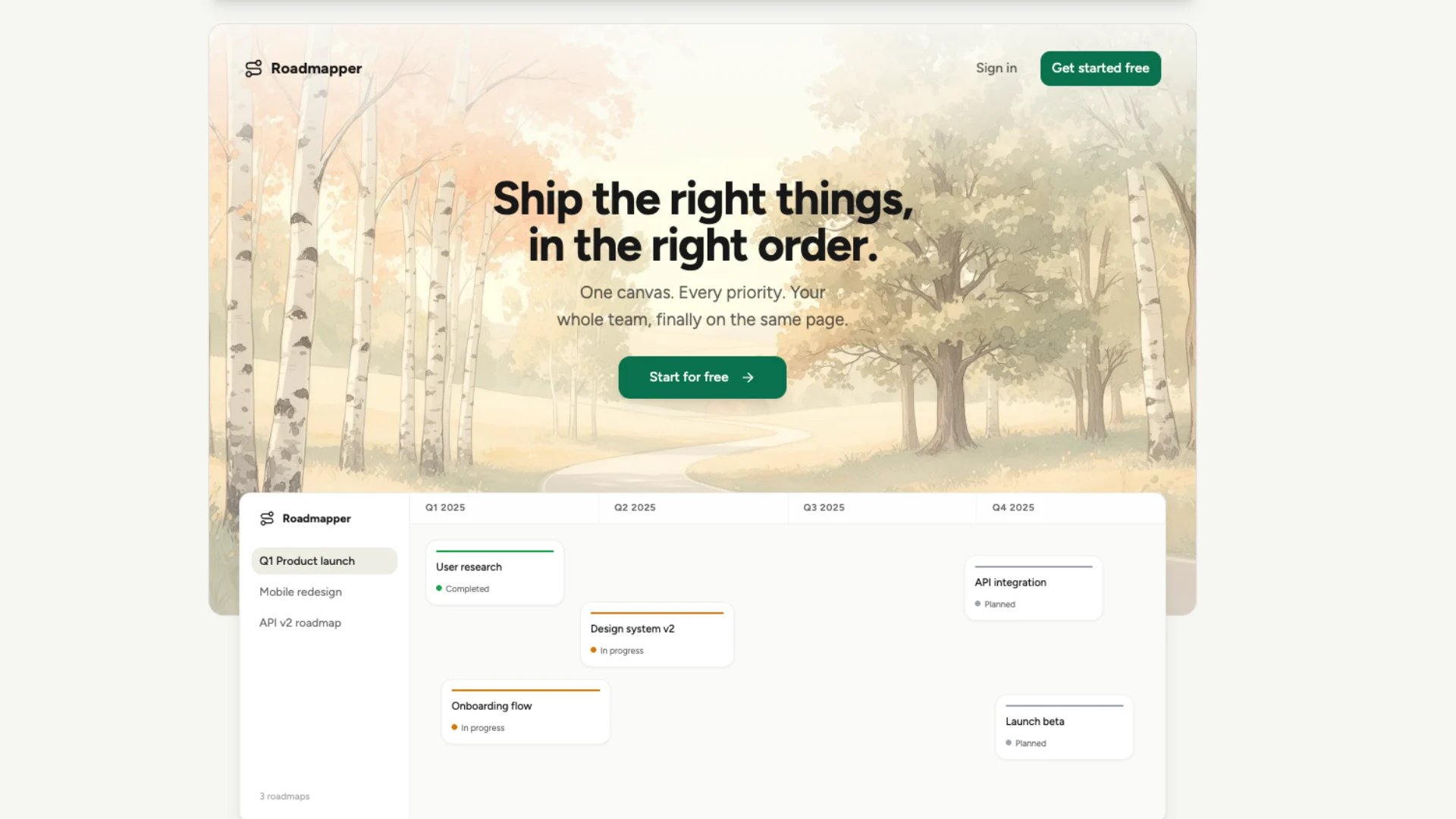
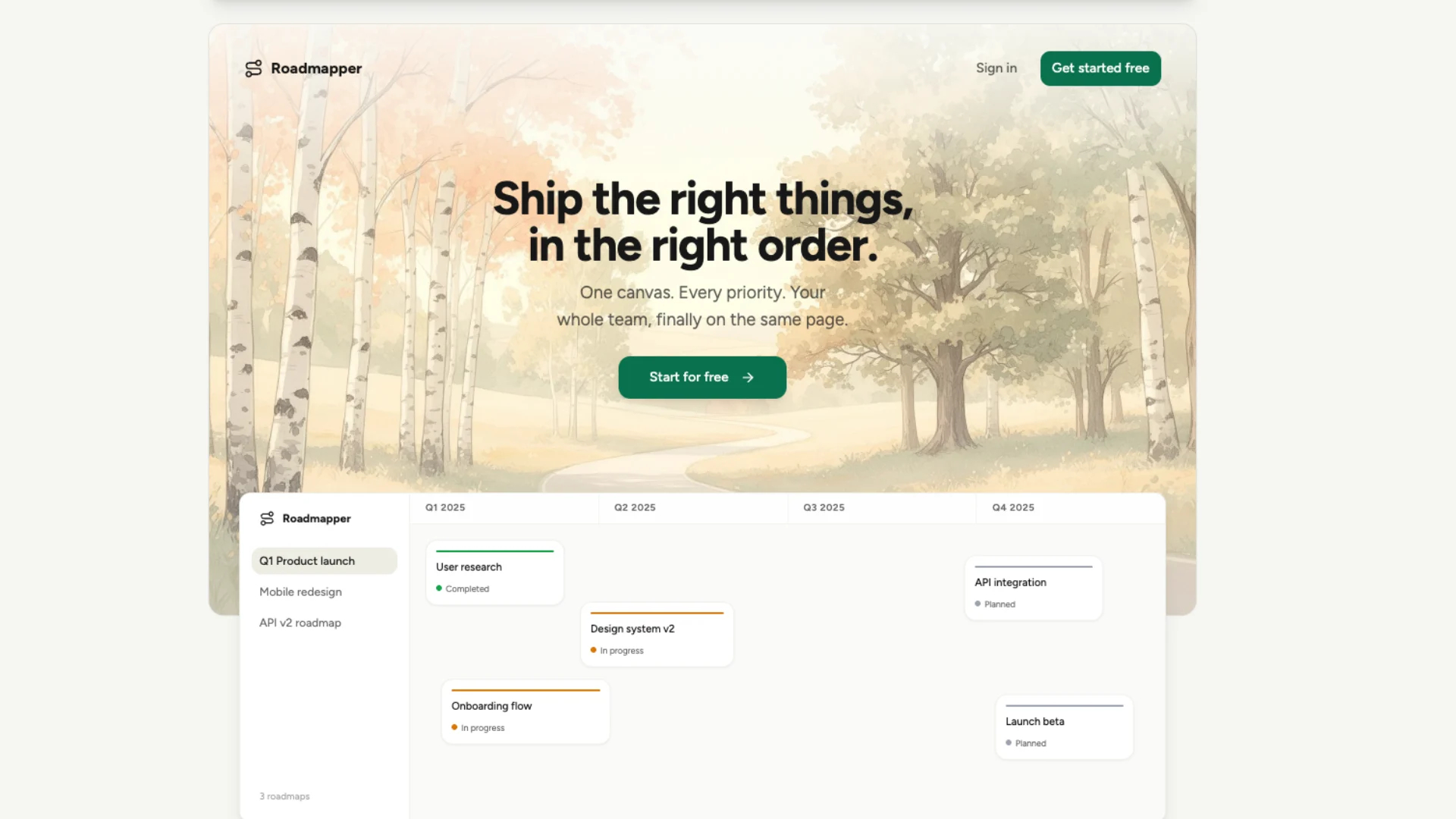
Visual canvas and list view for planning upcoming features organized by quarter, status, or priority
LOLovable
·
Key Highlights
Canvas and list views
Switch between a drag-and-drop canvas timeline and a sortable list view depending on how you want to manage your roadmap.
Feature cards with status tracking
Each item includes a title, description, status (planned, in progress, completed), priority level, and timeframe so stakeholders see progress at a glance.
Organize by quarter and priority
Group features by time horizon or business priority to match how your team plans.
Drag-and-drop reordering
Move items across the canvas timeline as plans evolve, with changes saved instantly.
Team collaboration with comments
Invite team members to your workspace, leave comments on roadmap items, and resolve discussions without another meeting.
Built-in analytics dashboard
Track completion rates, status distribution, and priority breakdowns with built-in charts.
Features & Capabilities
Production-ready features built with modern tech stack for exceptional performance and user experience
Canvas timeline view
List view
Feature cards with status tracking
Drag-and-drop reordering
Priority levels
Inspector panel
Inline comments
Workspace management
Role-based access control
Analytics dashboard
Keyboard shortcuts
Authentication
Responsive design
Customizable branding
Loading live preview...
About this template
This template gives you a product roadmap planner with two views — a visual canvas timeline and a sortable list — so you can plan, track, and communicate your product strategy in one place. Every feature gets a card with status, priority, owner, and timeframe so stakeholders always know what's planned, what's in progress, and what's done.
The canvas view lets you drag features along a quarterly timeline as plans evolve. The list view gives you a scannable table when you need to sort and filter. Both views stay in sync, and every change saves instantly.
Who This Is For
Product managers who need a visual roadmap they can share with stakeholders without exporting slides from a spreadsheet
Startup founders who want to plan features by quarter and priority without enterprise project management tools
Engineering leads who need to communicate what's coming next to their team with status and priority context
Product teams that want collaborative roadmap planning with comments, roles, and real-time updates
Agencies managing product roadmaps for multiple clients who need workspaces with role-based access
CTOs who need a high-level view of product progress with completion metrics and status breakdowns
Best Use Cases
Plan Your Product Roadmap by Quarter
Organize features on a visual canvas timeline grouped by quarter. Position items where they belong on the timeline, assign priorities, and set statuses. As plans shift — and they always do — drag items to new positions and the roadmap updates instantly. Stakeholders see a clear picture of what's planned for Q1 through Q4 without asking for a status update.
Run Product Planning Meetings With a Shared View
Open the roadmap during planning meetings and make changes live. Move items between quarters, update priorities, change statuses, and add new features as the team discusses them. Everyone sees the same roadmap, and changes save immediately so there's no post-meeting cleanup or "I'll update the doc later."
Collaborate Asynchronously With Comments
Leave comments on individual roadmap items to discuss scope, raise blockers, or provide context without scheduling another meeting. Team members respond on their own time. The discussion stays attached to the item it's about instead of getting lost in Slack threads or email chains.
Track Progress With Built-In Analytics
The analytics dashboard shows completion rates, status distribution, and priority breakdowns so you can see how your roadmap is progressing at a glance. Identify which priorities have the most items stuck in "planned" status. Track whether your team is completing features at the pace you expected.
Getting Started
Step 1: Remix This Template
Click 'Remix' to create your own copy. You'll have a working roadmap planner with canvas and list views, sample features, and analytics. Explore the demo data to see how everything works before adding your own content.
Step 2: Set Up Your Workspace
Create a workspace for your team. Invite members by email and assign roles — admins manage settings and members, members can edit roadmap items, and viewers have read-only access. This keeps your roadmap collaborative while controlling who can make changes.
Step 3: Add Your Roadmap Items
Create feature cards with titles, descriptions, statuses, priorities, owners, and target timeframes. Position them on the canvas timeline by quarter or review them in the list view. Use the inspector panel to edit details without leaving the page.
Step 4: Organize and Prioritize
Group your items by quarter and assign priority levels (low, medium, high). Drag items across the canvas to reorder as your strategy evolves. Use the list view to sort by status or priority when you need a quick scan of everything on the roadmap.
Step 5: Share With Stakeholders
Invite stakeholders as viewers so they can see the roadmap without accidentally editing it. Use the analytics dashboard to present progress in planning reviews. Comments keep discussions contextual and searchable so decisions are documented alongside the items they affect.
Conclusion
This template replaces scattered spreadsheets and slide decks with a collaborative product roadmap that your whole team can use. Plan features on a visual canvas, track progress with status and priority, collaborate with comments, and measure completion with built-in analytics. Whether you're a solo founder mapping out your first year or a product team coordinating across departments, you get a roadmap tool that adapts to how you plan.
Related Templates