Triage - Bug Report Form & Tracker Template
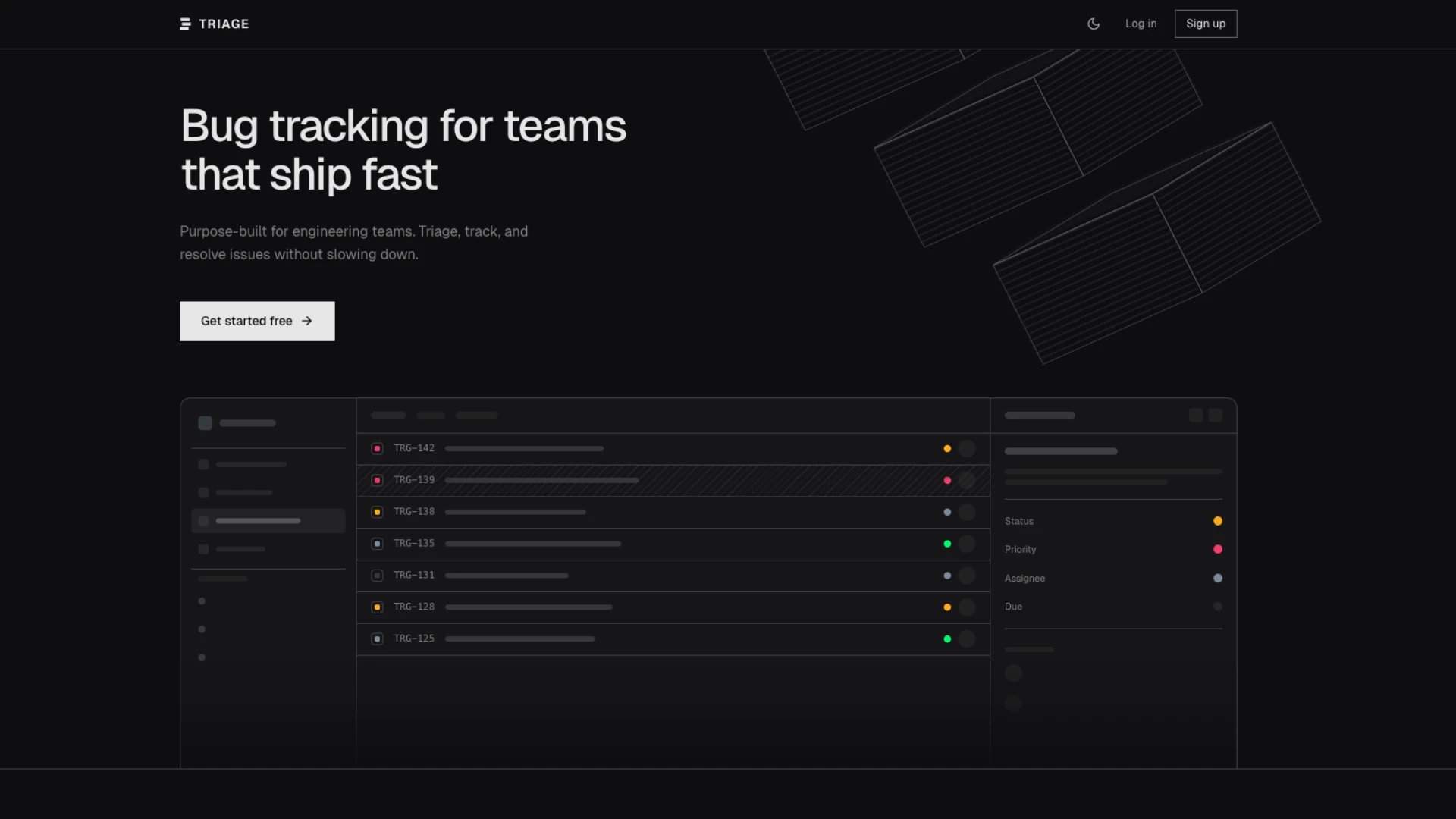
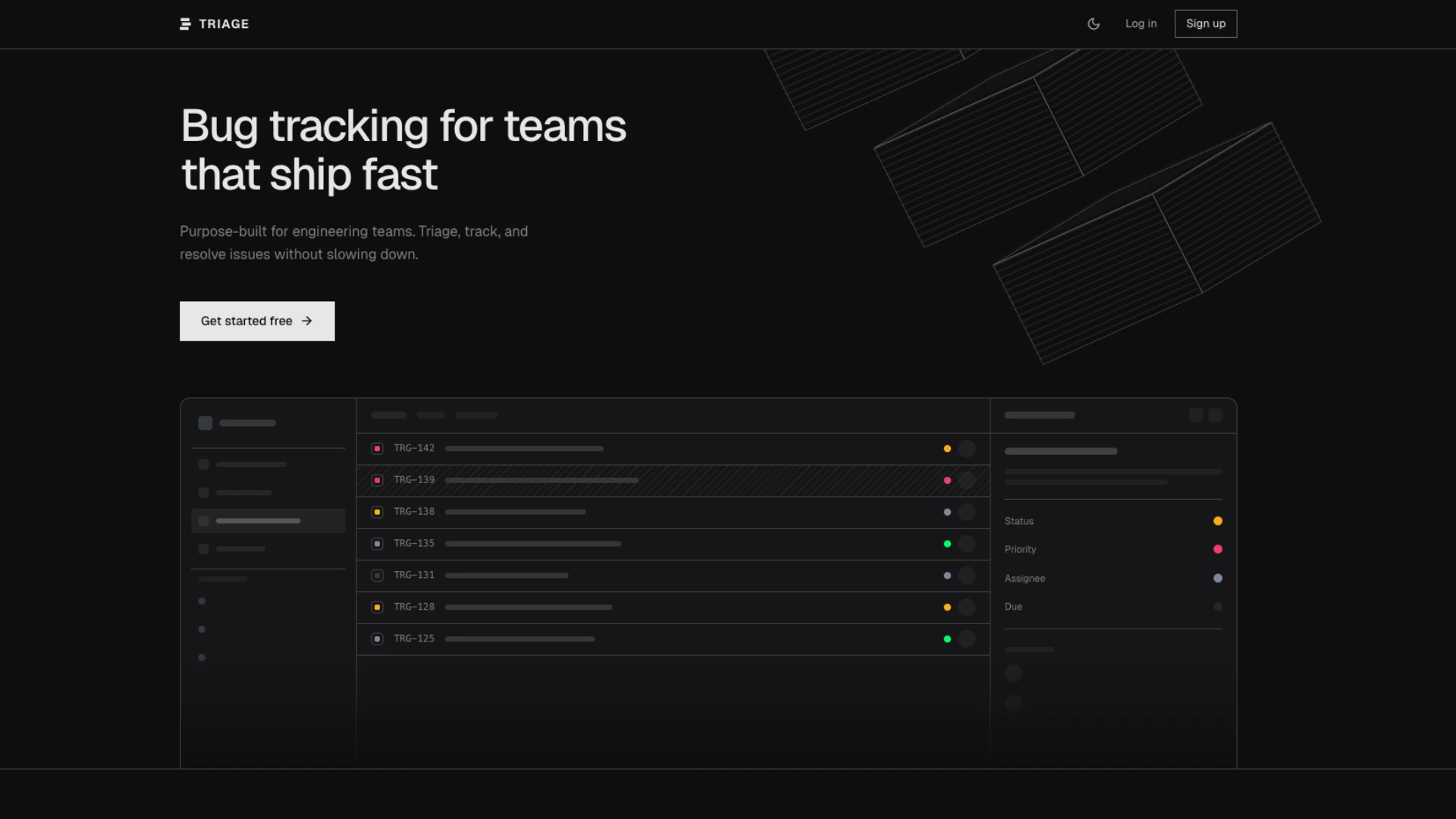
Standardized bug submission form with severity tracking and status dashboard
LOLovable
·
Key Highlights
Structured bug submission form
Reporters fill in severity, steps to reproduce, expected vs. actual behavior, and environment details in a consistent format.
Real-time tracking dashboard
See all bugs organized by status — new, assigned, in progress, testing, resolved, and closed — updated live as changes happen.
Severity-based prioritization
Filter and sort by critical, high, medium, or low severity so your team focuses on the right issues first.
Team assignment & roles
Assign bugs to team members, manage user roles (admin, moderator, user), and track who's working on what.
Timestamped audit trail
Every report and status change logs who did it and when, creating an accountability trail for the full bug lifecycle.
Analytics & reporting
Charts for severity distribution, status breakdown, resolution trends, and team velocity — built in, not bolted on.
Features & Capabilities
Production-ready features built with modern tech stack for exceptional performance and user experience
Structured bug submission form
Severity level classification
Steps to reproduce field
Expected vs. actual behavior fields
Analytics dashboard
Open, in progress, and resolved views
Severity-based filtering and sorting
Date-based sorting
Timestamped entries with reporter details
Responsive design across devices
Loading live preview...
About this template
This template gives you a structured bug tracking system that standardizes how your team reports, triages, and resolves issues. Every bug report follows the same format — severity, steps to reproduce, expected vs. actual behavior, environment details — so engineers get the information they need without chasing reporters for missing context.
The tracking dashboard shows all bugs organized by status with real-time updates, severity-based filtering, and built-in analytics. You see what's broken, who's working on it, and how your team's resolution rate trends over time.
Who This Is For
Engineering teams that need a consistent bug reporting format instead of ad-hoc Slack messages and emails
QA teams that want structured reproduction steps and severity classification for every bug they file
Product managers who need visibility into bug volume, severity distribution, and resolution trends
Startup teams that need a lightweight bug tracker without the overhead of enterprise issue management tools
Development agencies managing bug reports across multiple client projects
Open source maintainers who want a public-facing bug submission form with structured fields
Best Use Cases
Standardize Bug Reports Across Your Team
Stop getting bug reports that say "it's broken" with no other context. The structured submission form requires reporters to specify severity, describe steps to reproduce, explain what they expected versus what actually happened, and note their environment. Engineers get actionable reports every time, and reporters know exactly what information to provide.
Triage Bugs by Severity During Standups
Filter the dashboard by severity level to focus your standup on critical and high-priority issues first. See which bugs are new, which are assigned, and which are stuck in progress. The severity-based view gives your team a shared understanding of what matters most right now so you can allocate engineering time where it has the biggest impact.
Track Resolution Trends Over Time
The analytics dashboard shows you how bug volume, severity distribution, and resolution rates change over time. Identify whether your team is closing bugs faster than they're being reported. Spot patterns — like a spike in critical bugs after a release — and use the data to improve your development and QA processes.
Create Accountability With Timestamped Audit Trails
Every report and status change is logged with who made the change and when. You can trace the full lifecycle of any bug — from initial report through assignment, investigation, fix, testing, and resolution. This audit trail makes it easy to answer questions during retrospectives and gives managers visibility into team workload.
Getting Started
Step 1: Remix This Template
Click 'Remix' to create your own copy. You'll have a working bug tracker with a submission form, tracking dashboard, and analytics — all ready to use. Sample bug reports are included so you can explore every feature immediately.
Step 2: Configure Team Roles
Set up your team members with appropriate roles. Admins can manage the system and all bugs. Moderators can assign and update bugs. Users can submit reports and track their own submissions. Role-based access keeps your workflow clean.
Step 3: Share the Submission Form
Send your team the bug submission URL. The guided form walks reporters through every required field — severity, reproduction steps, expected vs. actual behavior, and environment details. No training needed; the form structure teaches the format as they fill it out.
Step 4: Triage From the Dashboard
Review incoming bugs on the tracking dashboard. Filter by severity to surface critical issues first. Assign bugs to team members and update statuses as work progresses. The dashboard updates in real time so everyone sees the current state.
Step 5: Monitor and Improve
Use the analytics dashboard to track severity distribution, status breakdowns, resolution trends, and team velocity over time. Identify bottlenecks in your process and measure whether changes you make actually improve resolution rates.
Conclusion
This template turns unstructured bug reports into a consistent, trackable process. Reporters submit bugs with all the context engineers need. The dashboard gives your team real-time visibility into what's broken and who's fixing it. Built-in analytics help you measure and improve your resolution process over time. Whether you're a small startup or a growing engineering team, you get structured bug tracking without the complexity of enterprise tools.
Related Templates